Independent training app
Set your mark.
Understand your training.
See how your weights and strength tests change over time. At supported gyms, Setmark imports available records from your EGYM account. The Setmark coach uses your recorded data to answer questions about your training.
Setmark is an independent app, not an EGYM product. There is no partnership with or endorsement by EGYM.
Private beta · free during beta · import available at selected gyms with EGYM equipment
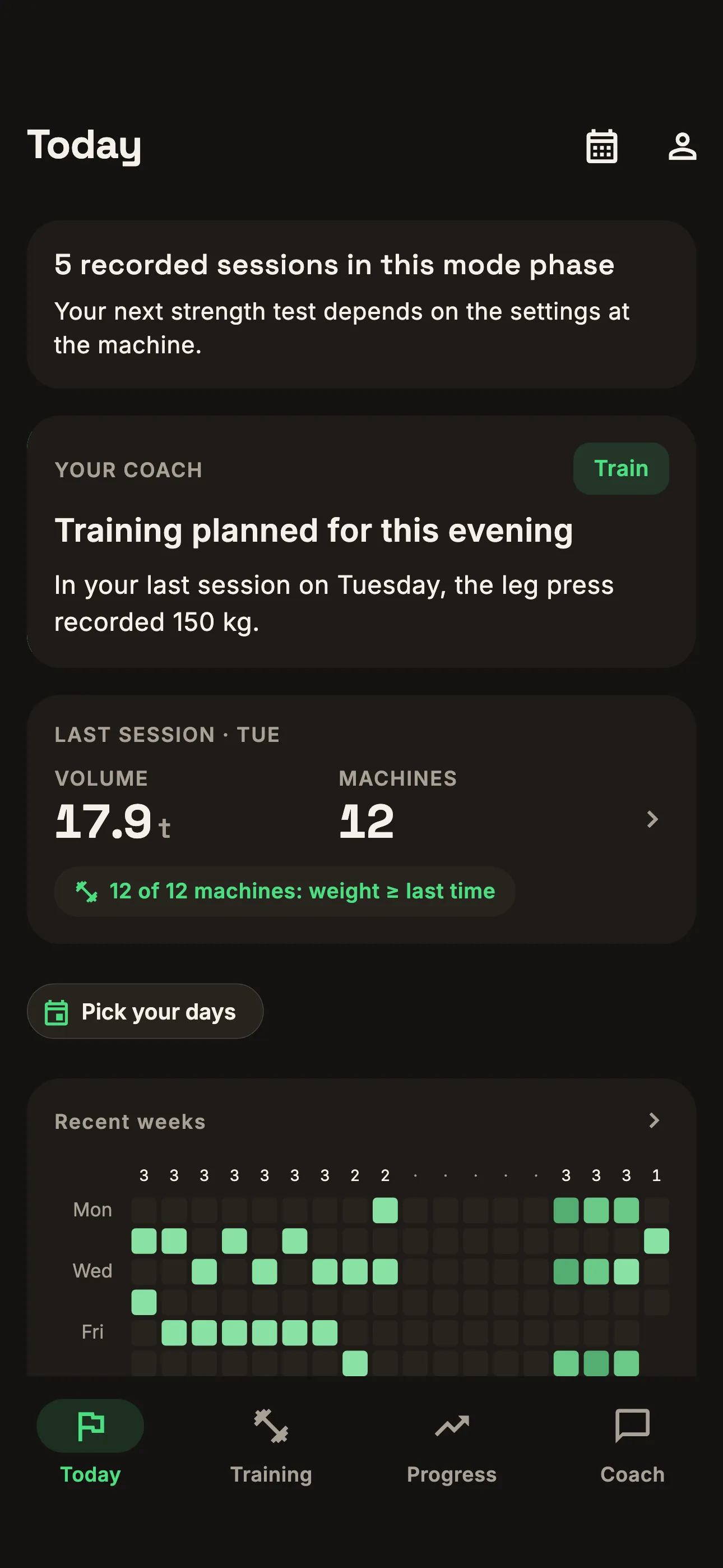
↑ App screenshot with example data.
Your training at a glance
- Machines, sets and volume
- Sessions Machines, sets and volume
- Measurements over time
- Strength tests Measurements over time
- How you felt that day
- Check-ins How you felt that day
Training records and personal check-ins appear together, so you can look back at both.
How it works
- 01
Set up your import
At a supported gym, connect your EGYM account to import your available training history into Setmark.
- 02
Train as usual
Setmark retrieves available workouts from your connected account. Imports depend on the data source and may be delayed or interrupted.
- 03
Look back and ask questions
Review a session, compare measurements or ask the coach about your training.
A look inside the app
These screenshots show the app with a fictional member’s training data.
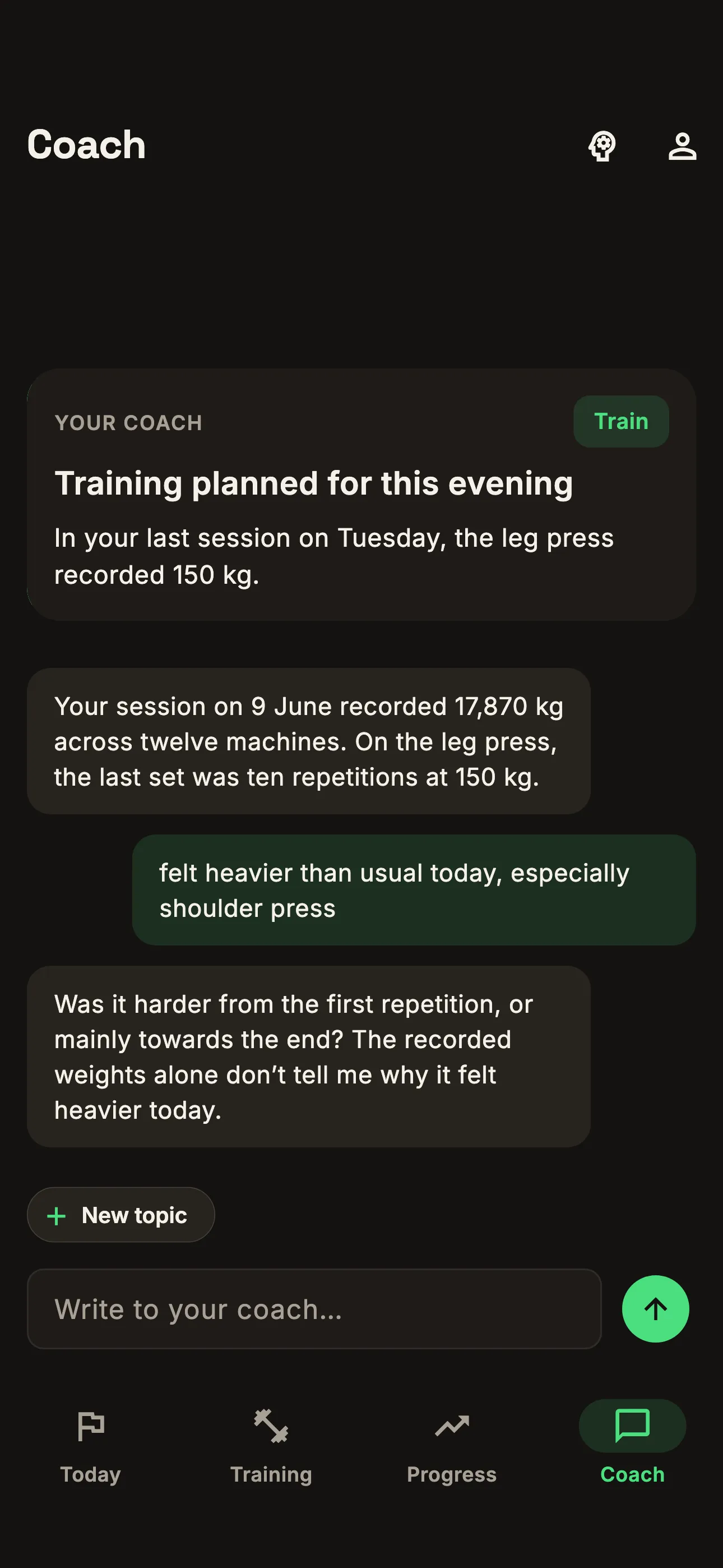
01 Questions about your training
The coach uses your recorded sessions, strength tests and check-ins to answer questions. Discuss a particular exercise or how training fits into your week.
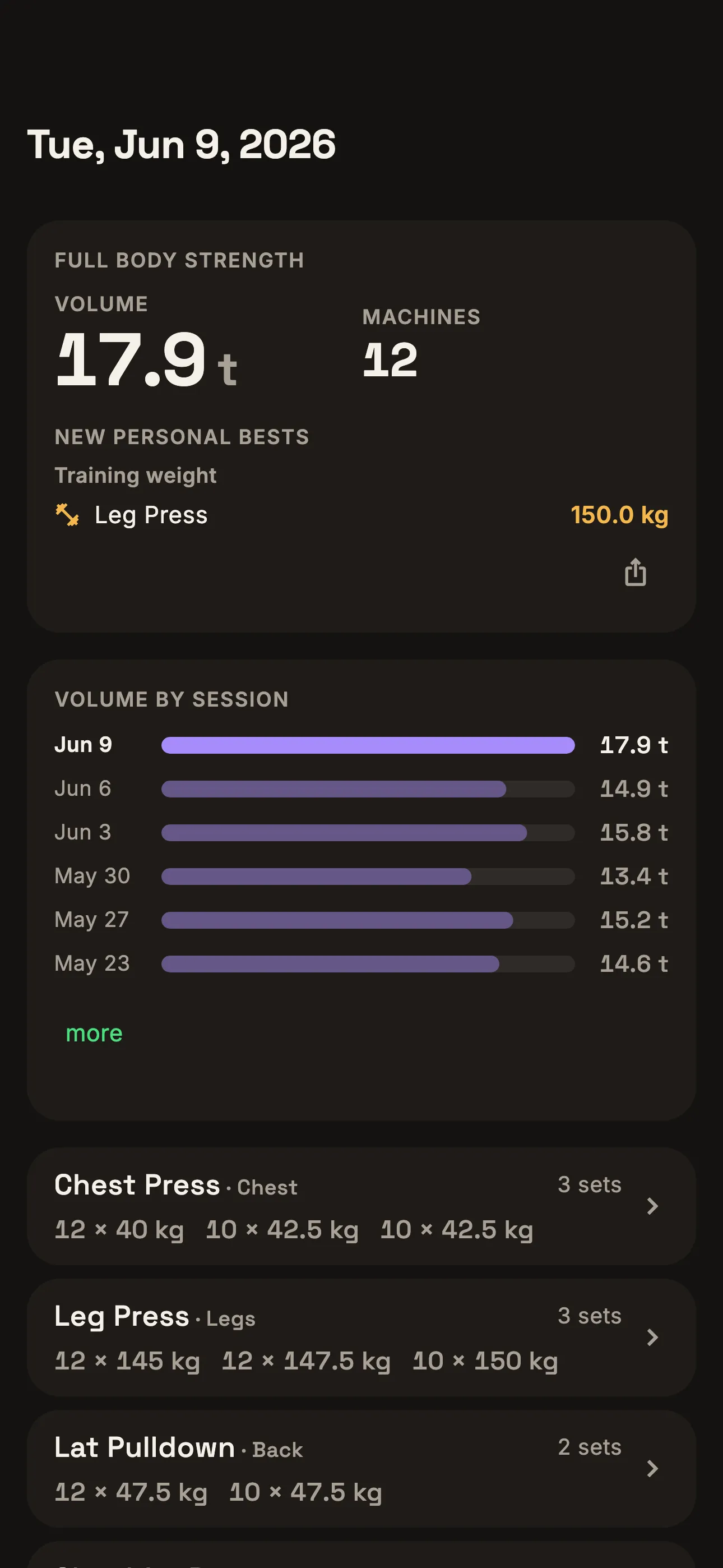
02 Your session in detail
See the machines, sets and weights recorded by EGYM, including training mode and volume.
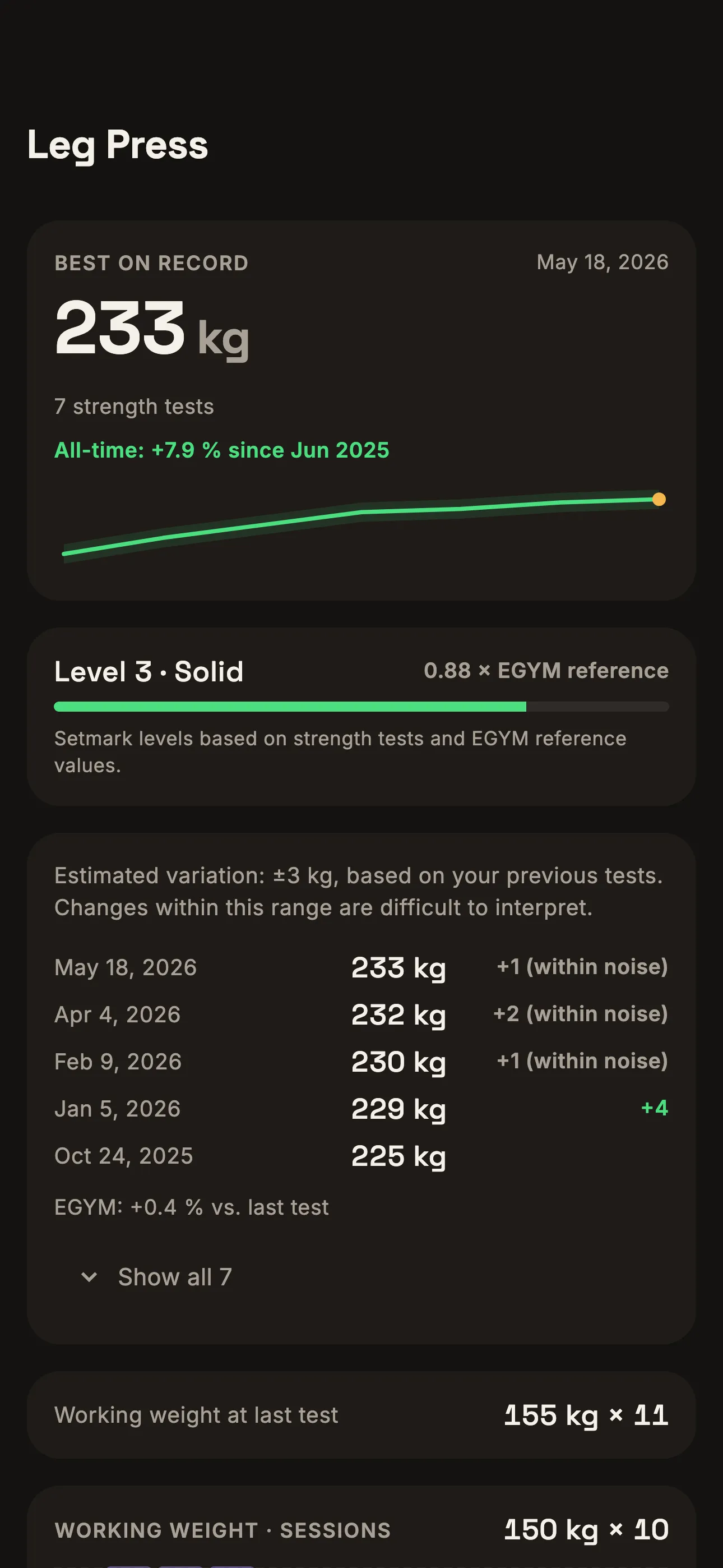
03 A history for every machine
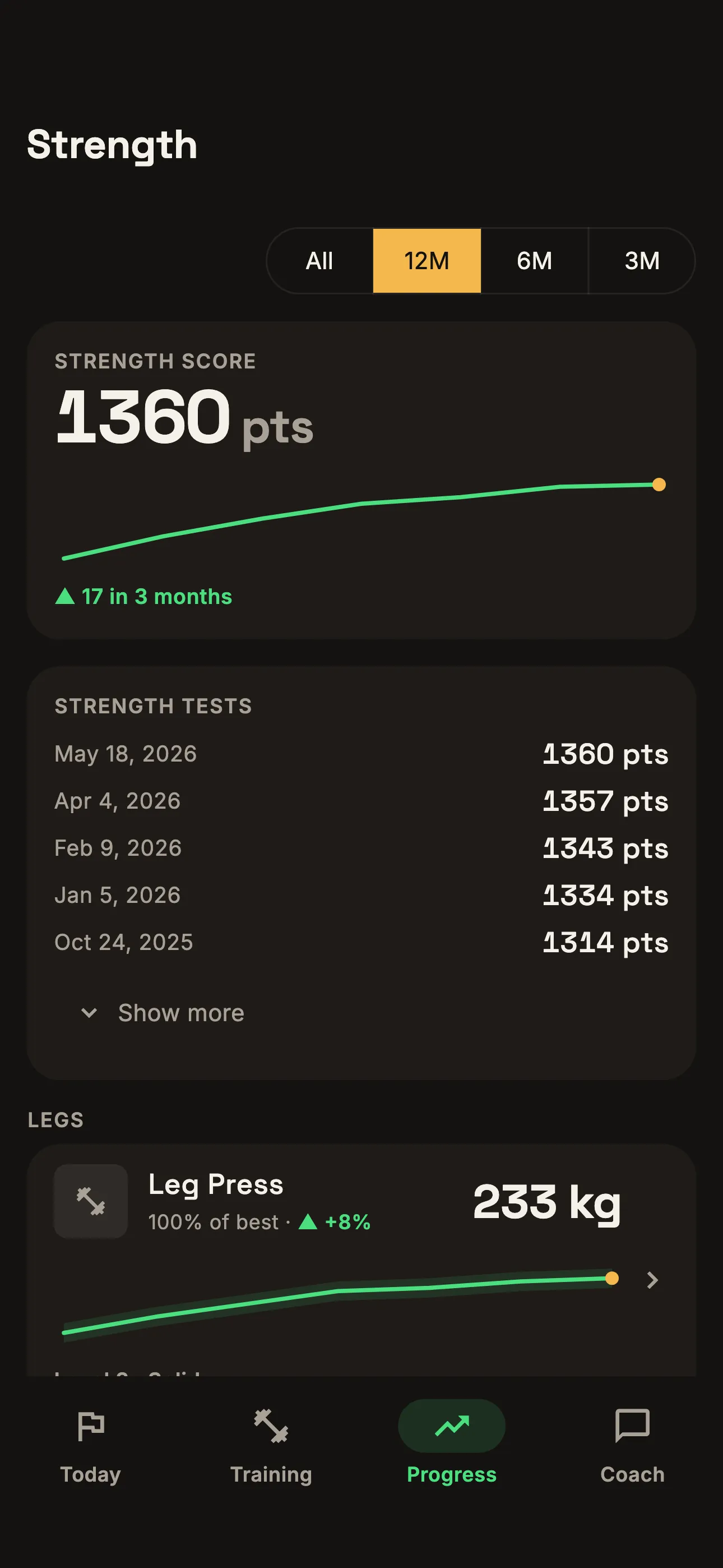
View strength tests and working weights over time. Measurement dates and estimated variation help put individual changes in context.
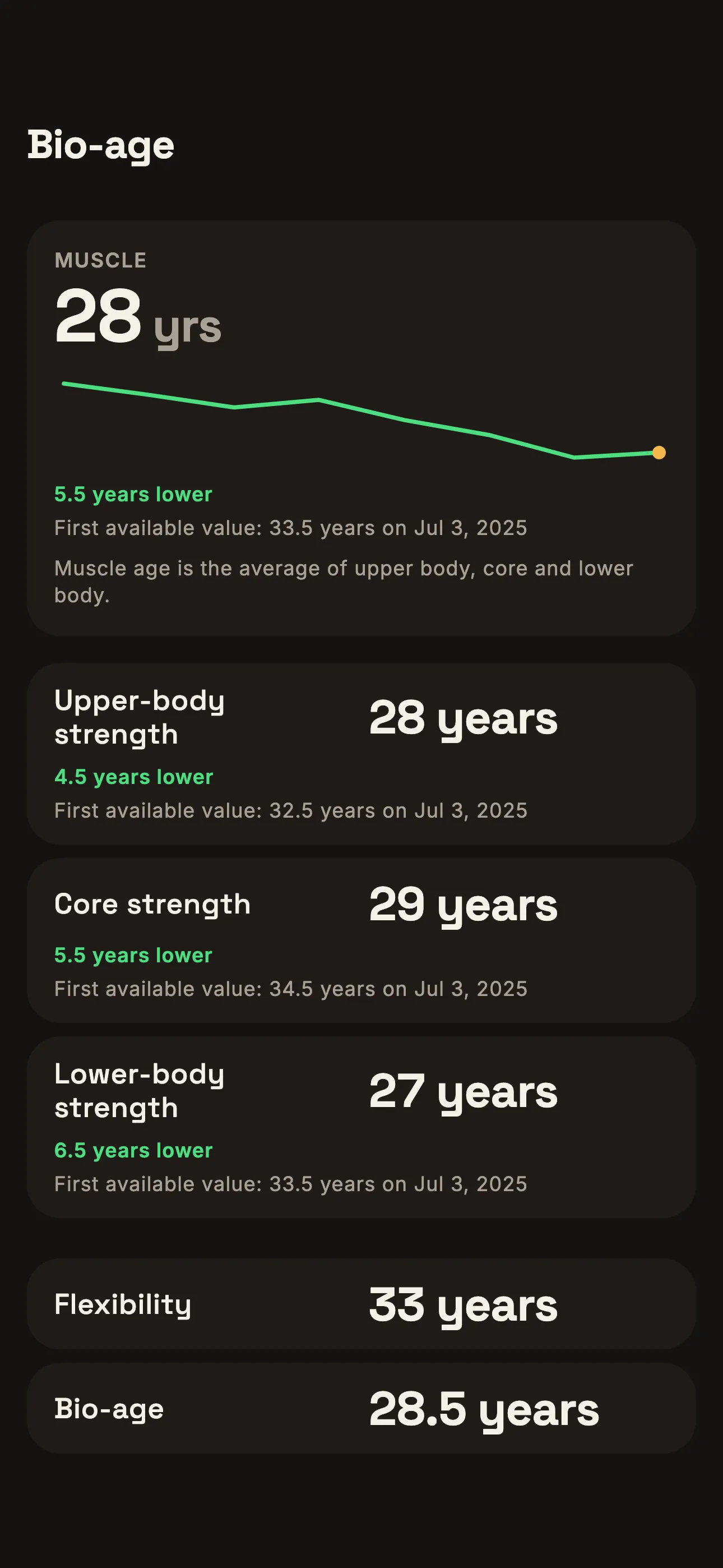
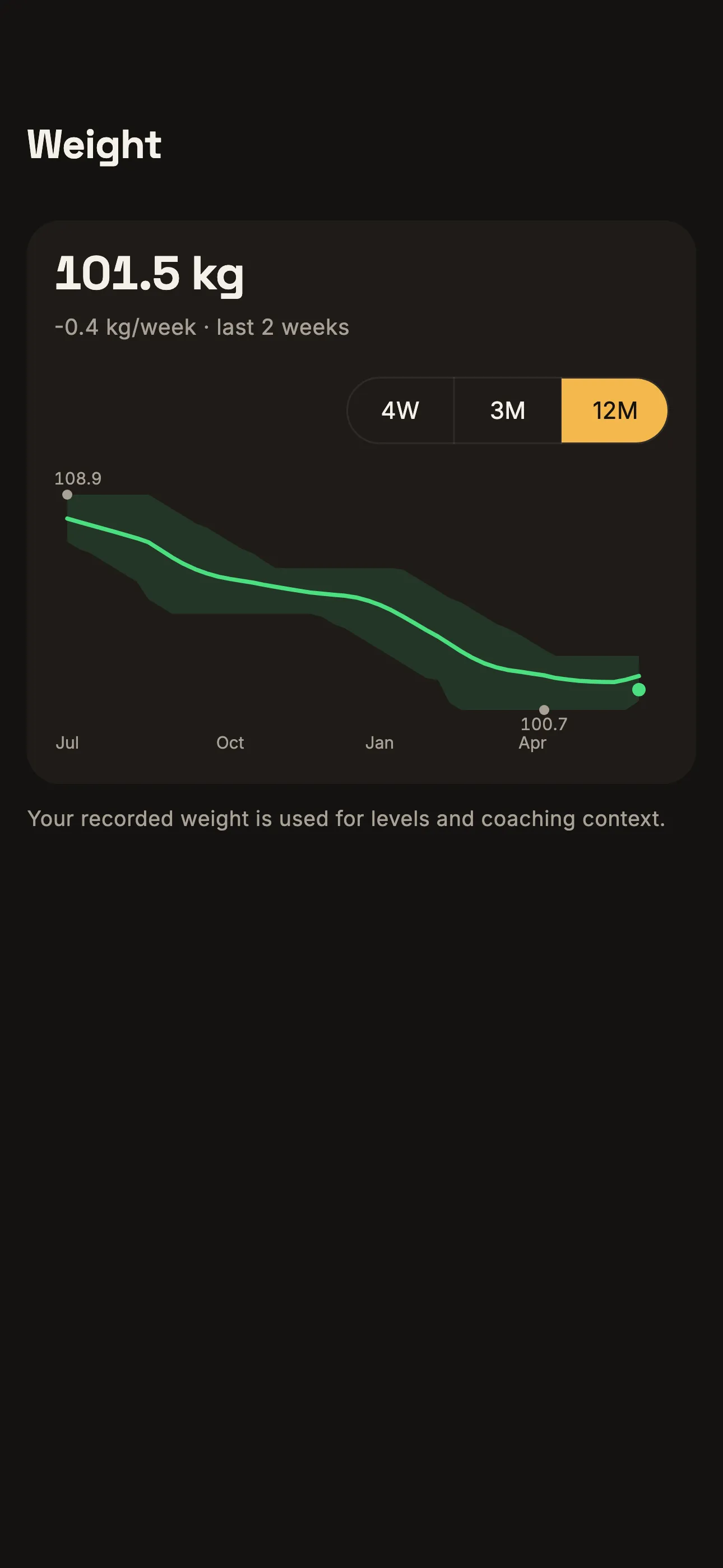
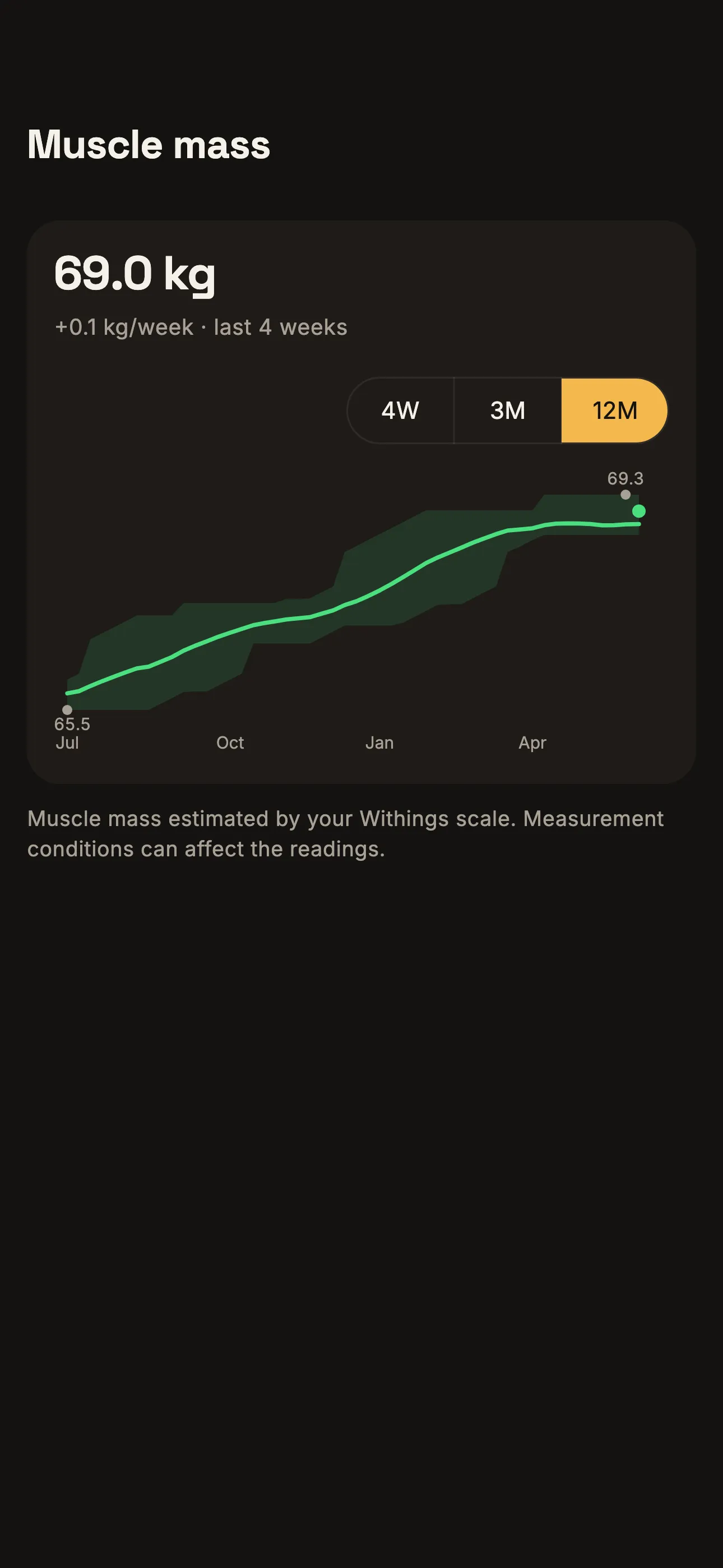
04 Strength and body measurements over time
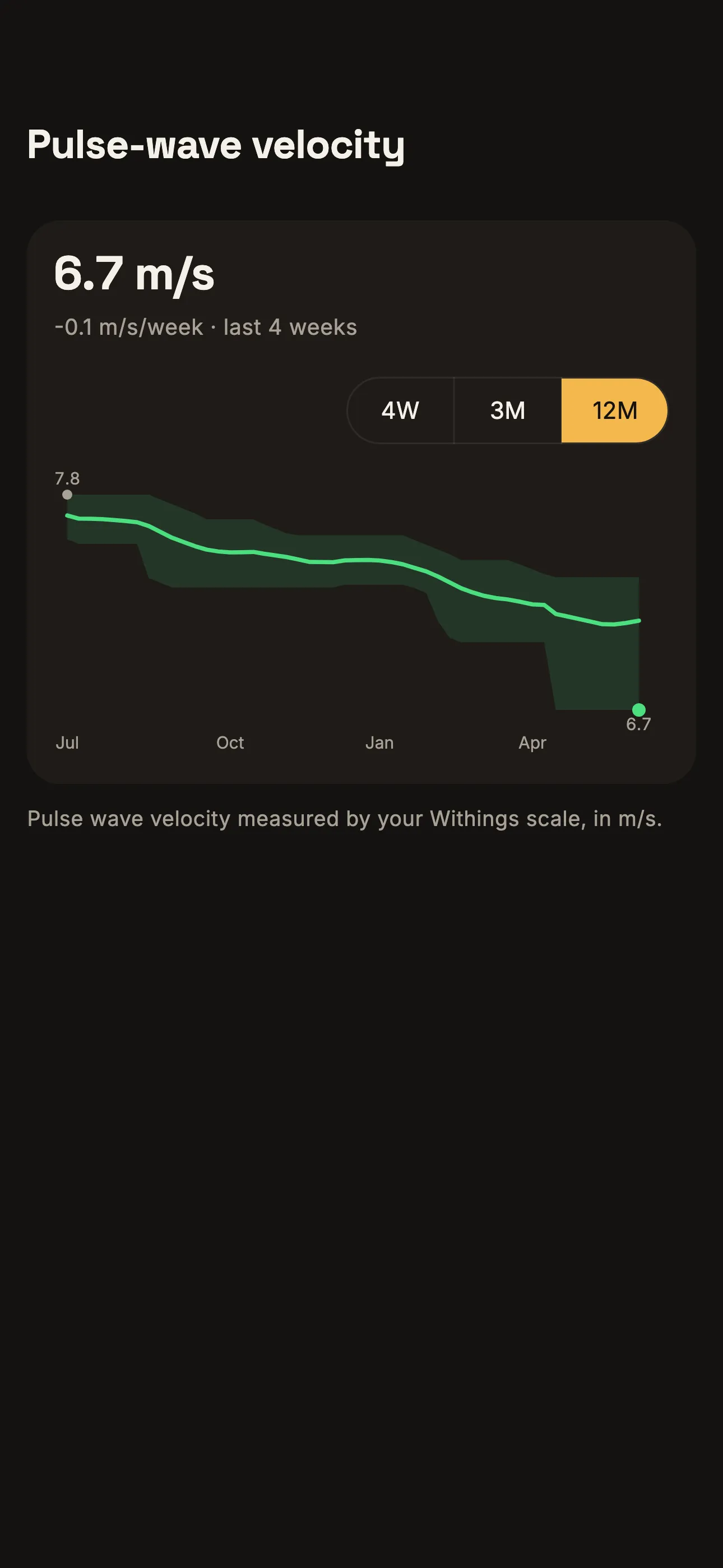
Compare strength tests and EGYM’s BioAge estimate over time. Connect a Withings scale to add weight, estimated muscle mass and, on supported devices, pulse wave velocity.
05 Your training history
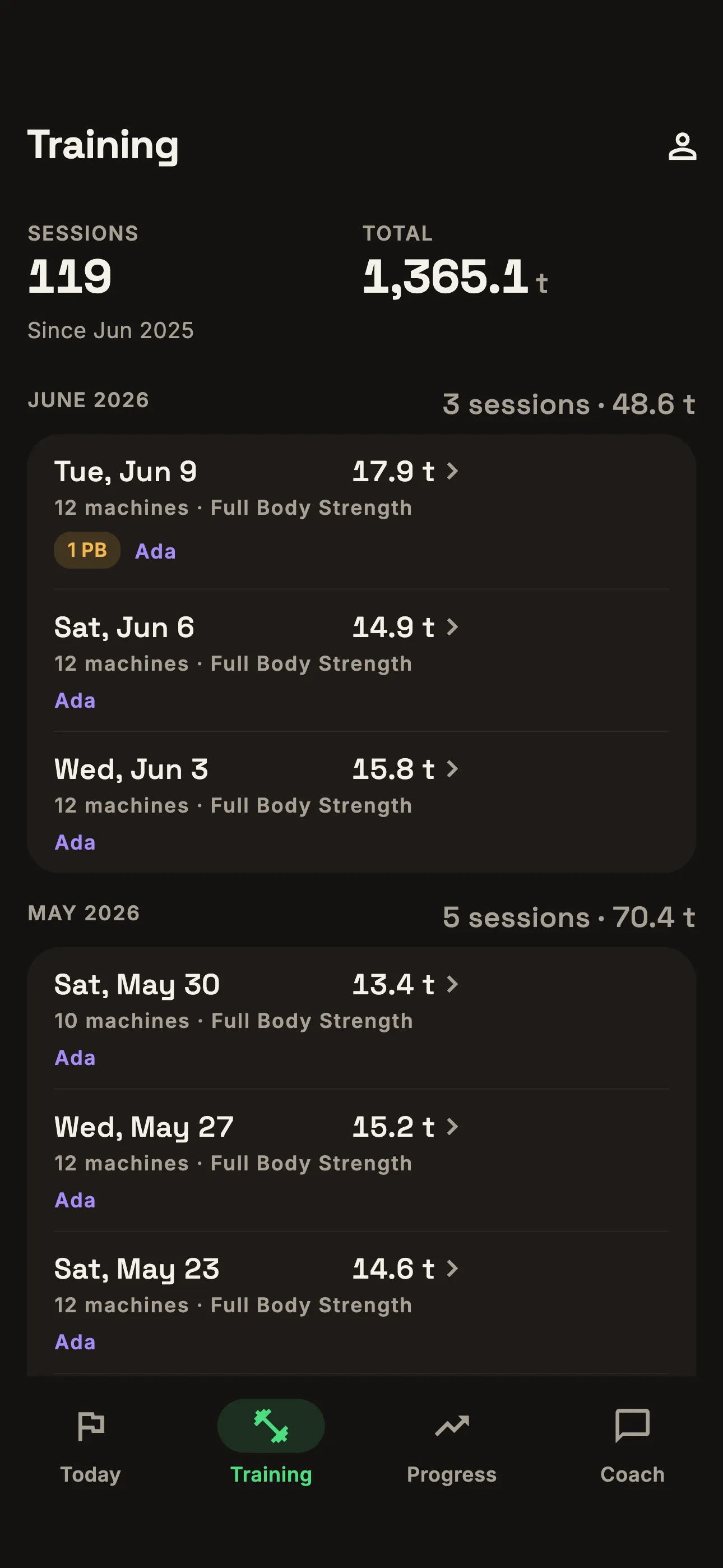
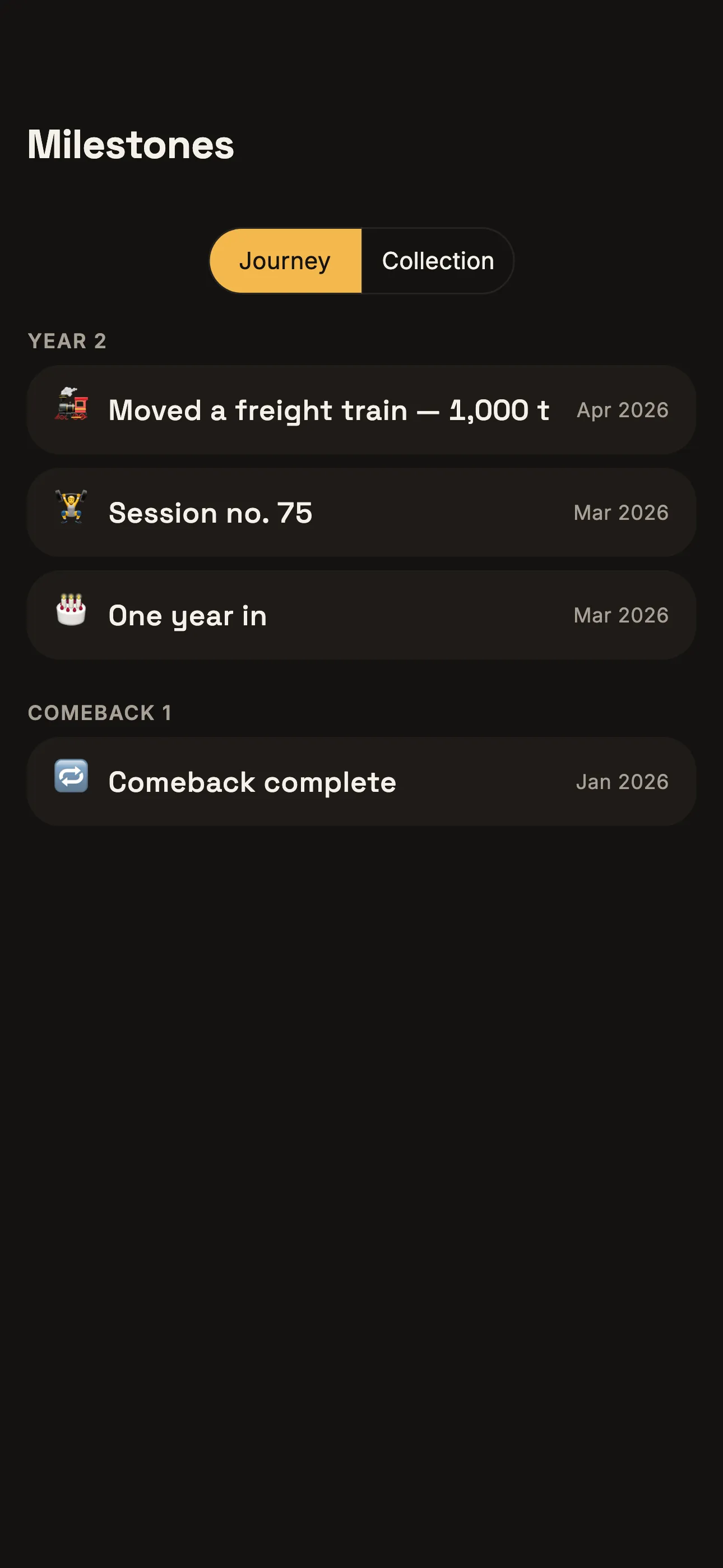
Find previous sessions by date and open their details. Training milestones stay in your saved history.
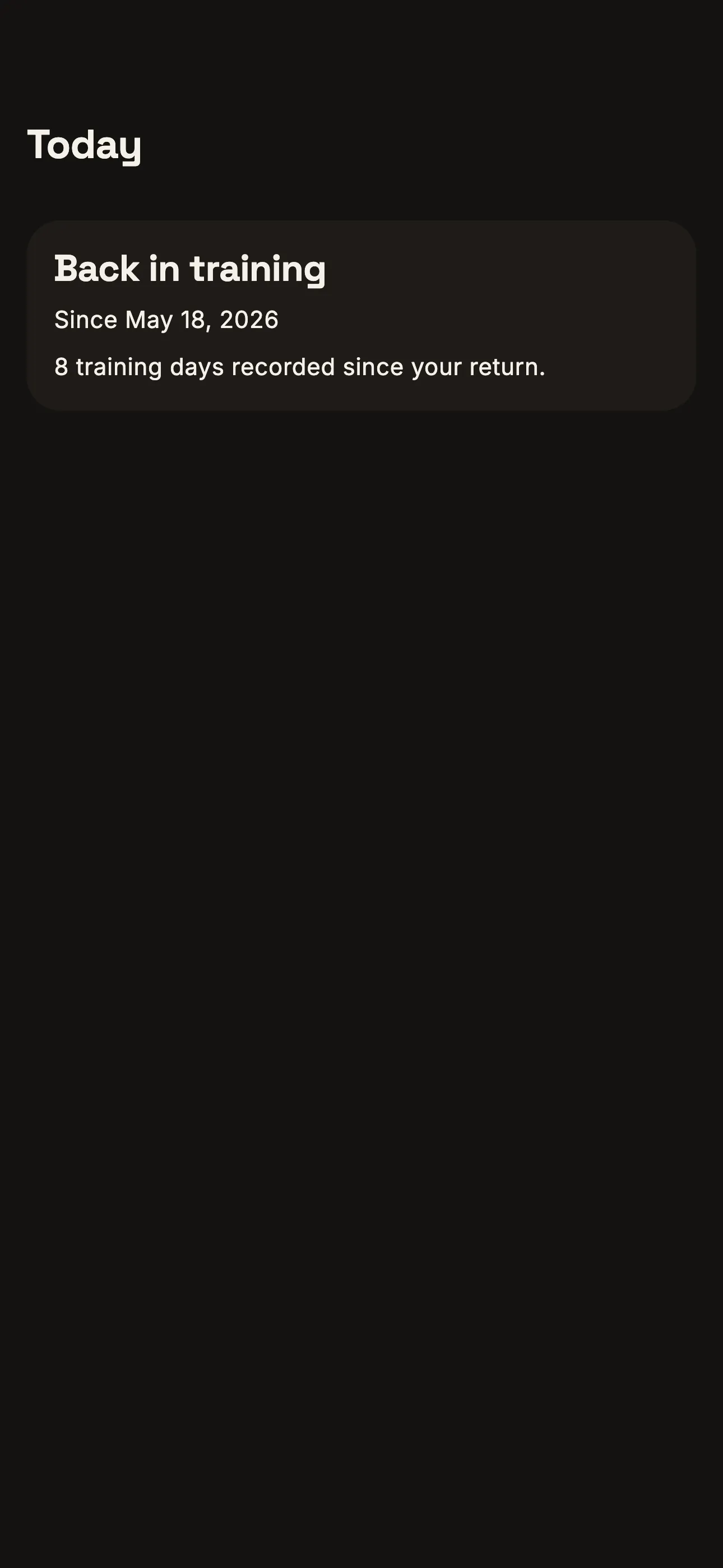
06 Training after a break
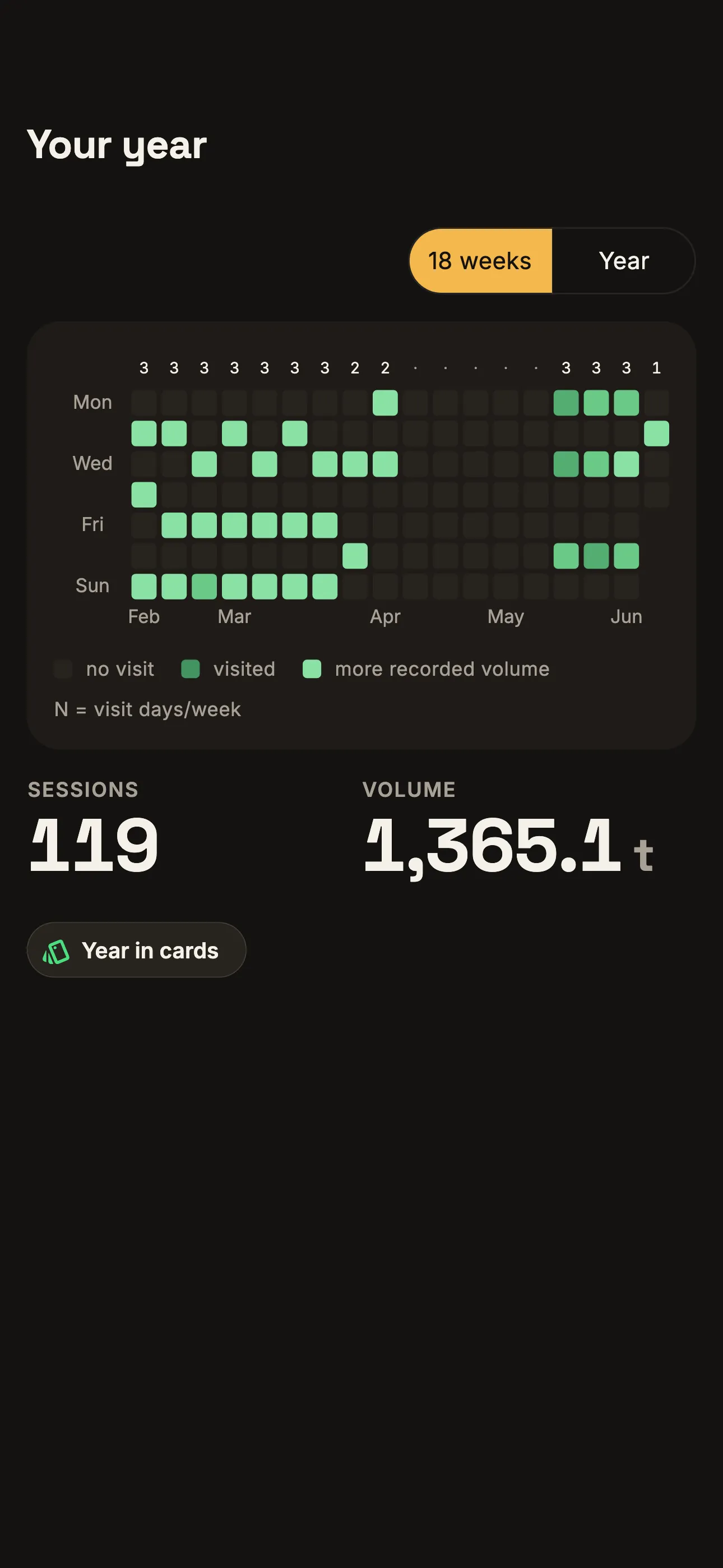
Add planned breaks to your calendar. After a longer break, see your return date and recorded training days, including classic strength training and cardio.
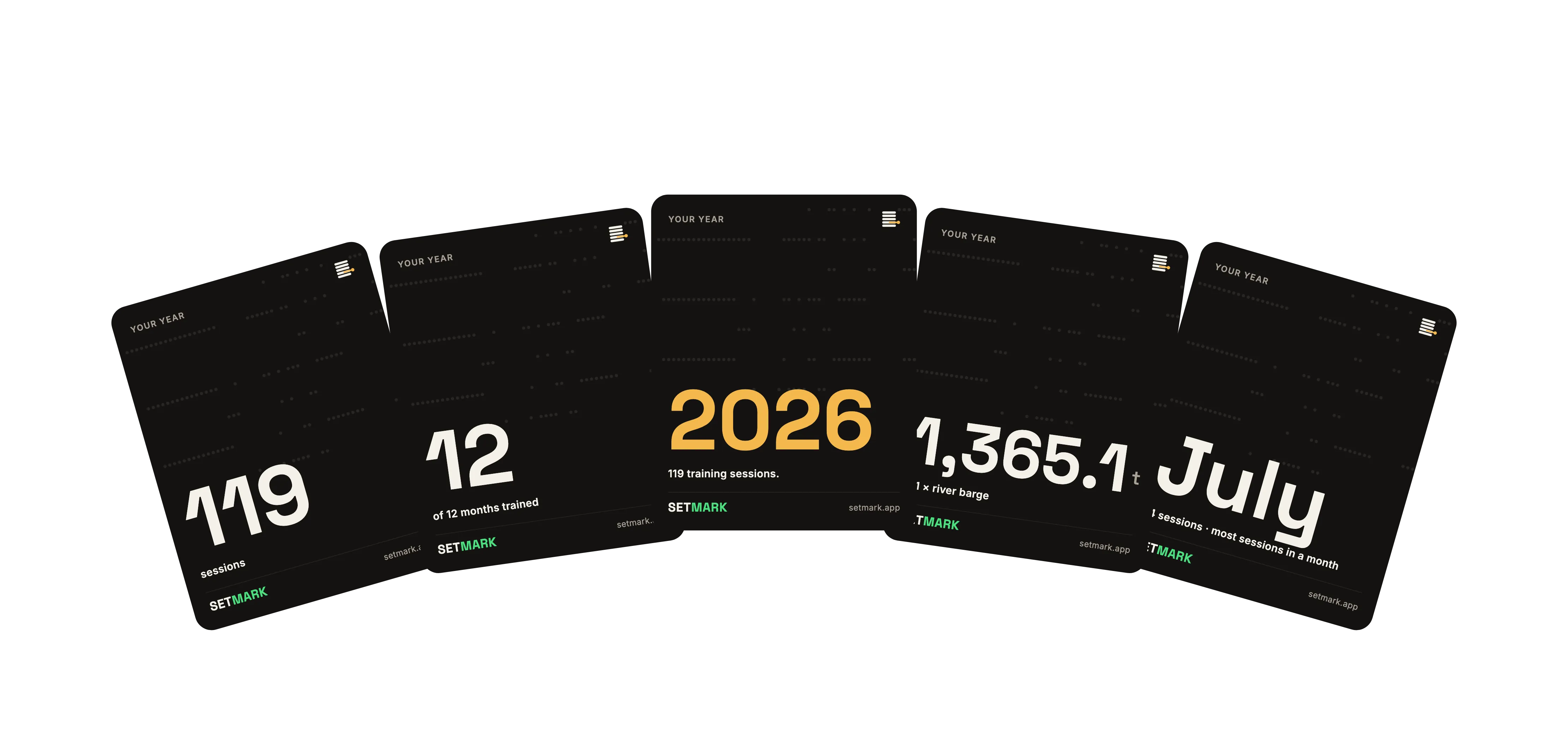
07 Your year in review
Look back at your sessions, training volume and personal records. Choose the cards you want to save or share.
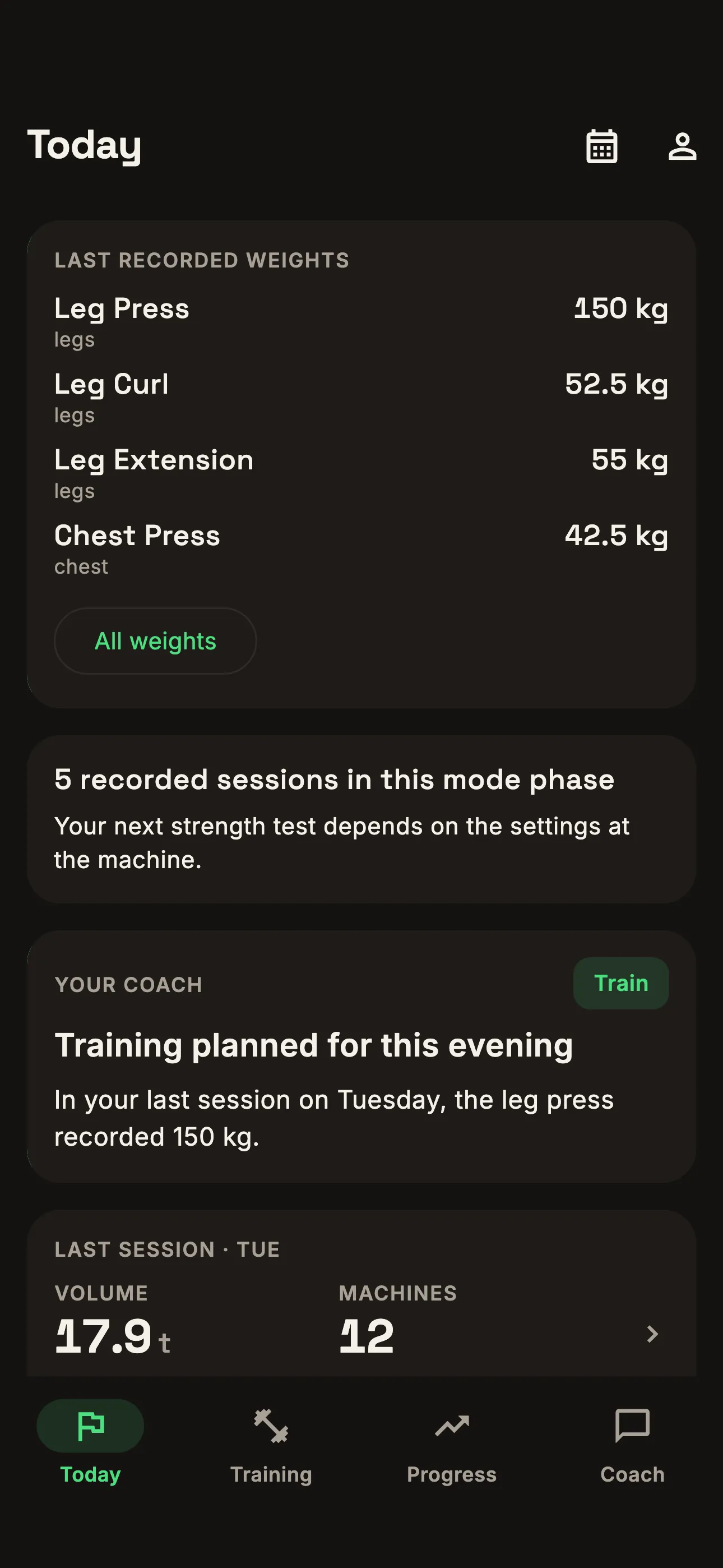
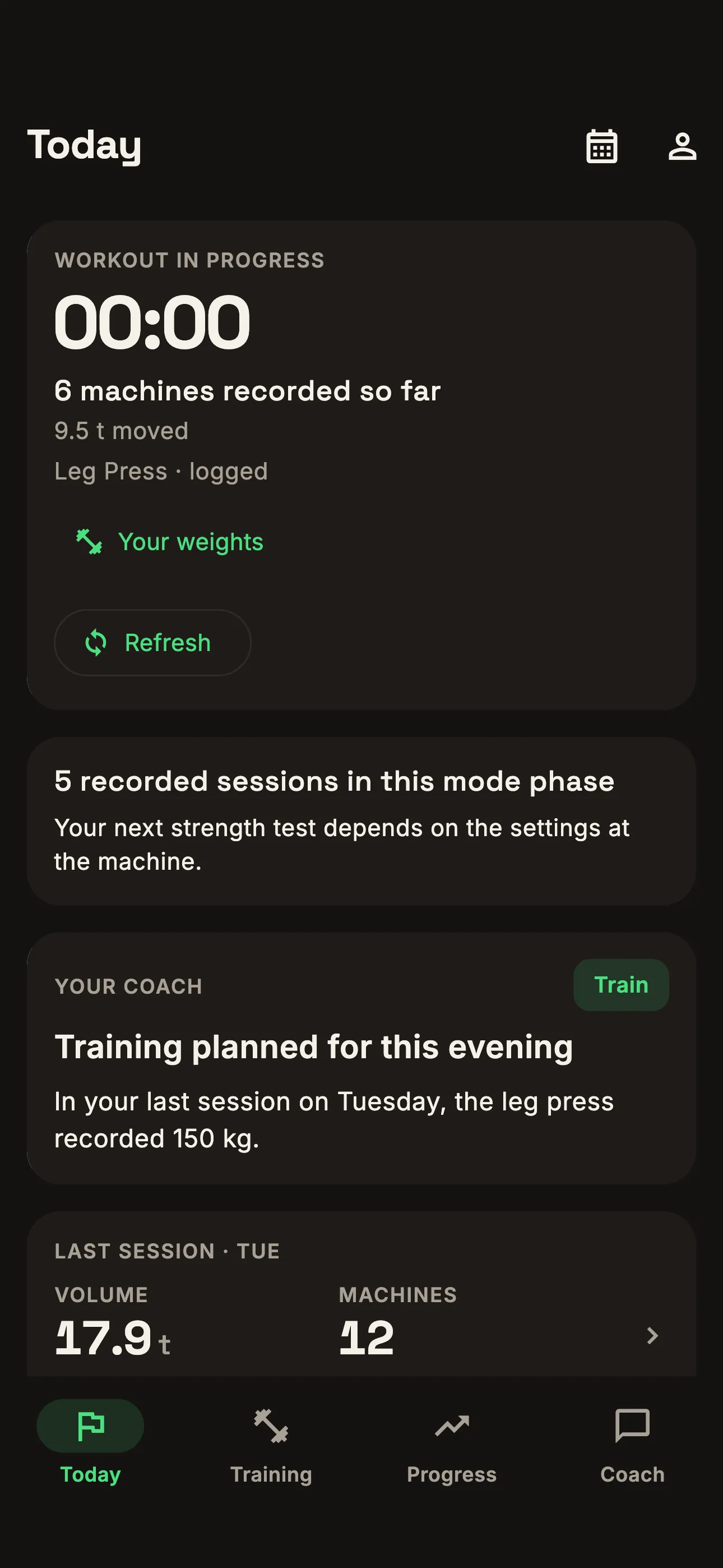
08 Before and during training
Look up your last recorded weights before a visit. During a detected workout, Setmark shows the machines and sets synced so far.
Choose your notifications
Select the coach and training notifications you want to receive in Settings.
See what changed
View dated measurements and compare training within the same mode.
Control coach memories
View and delete saved memories directly in the app.
Manage connected accounts
Disconnect an account in Settings. Training history imported from EGYM remains in Setmark after disconnection.
Want to try Setmark?
We’re testing Setmark with a small group of members. Email us with the gym you train at to request access.
Free during beta · Android and iOS app